
Example Showcase
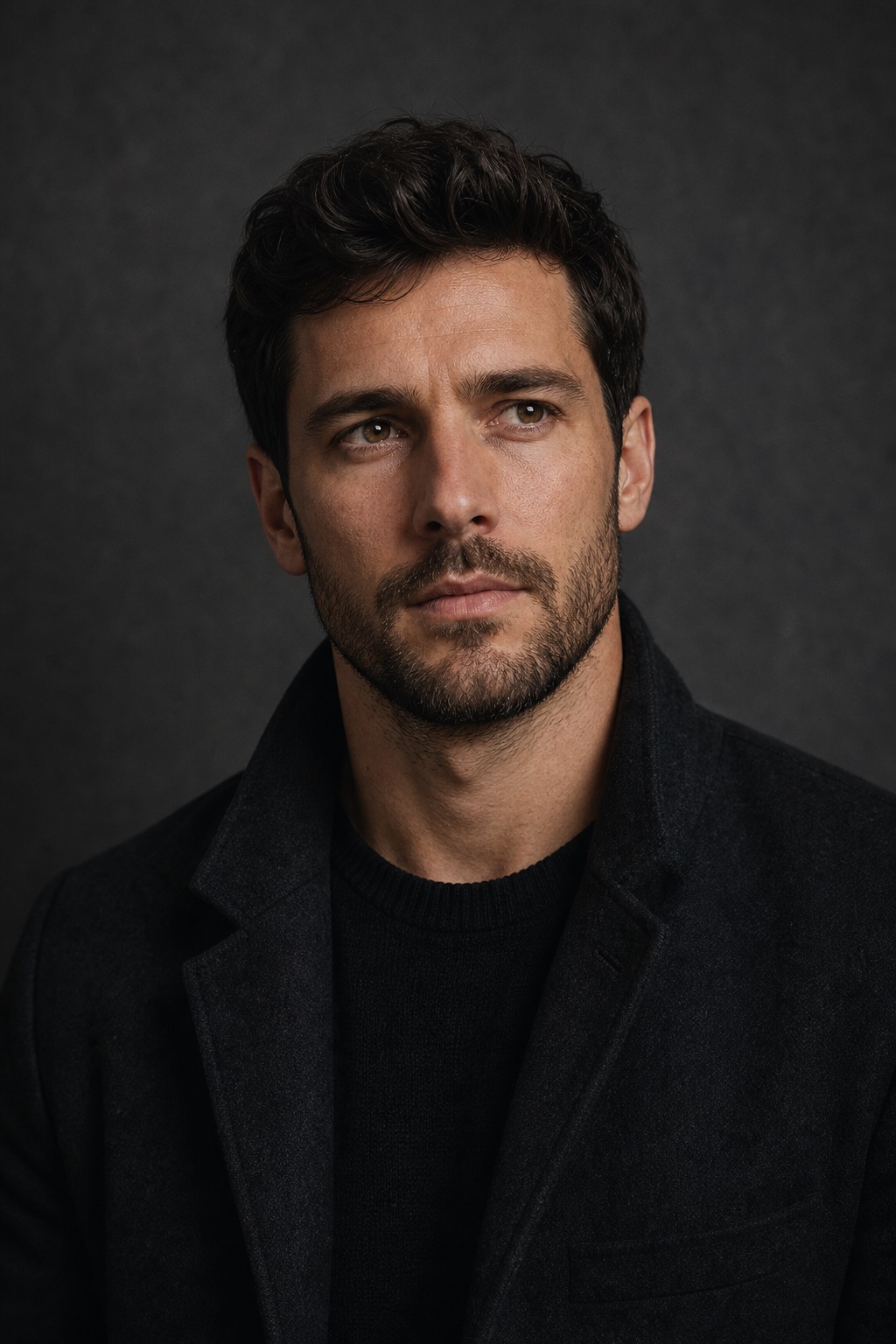
Example result using our 🎭 Cinema Portrait preset.
Prompt examples
Slow motion city portrait
Matches the real user pattern of cinematic walking or rooftop-style portrait motion, but keeps it safe and portrait-focused.
A cinematic portrait video at sunset, subtle head turn toward camera, gentle wind in hair, city skyline bokeh, smooth handheld camera drift, shallow depth of field, realistic lighting, stable face identity, slow motion portrait.
Editorial profile video
Good for creator profiles, portfolio pages, and polished social intros.
Animate this portrait like an editorial profile video, soft window light, slight eye movement, small natural smile, gentle camera push-in, realistic skin texture, calm confident expression, no identity change.
Film still portrait animation
Use when the source already has cinematic lighting or a dramatic background.
Turn this photo into a film still portrait animation, subtle background light shimmer, slow breathing motion, soft rim light, 35mm texture, controlled camera drift, realistic portrait movement, stable facial features.
Scenario Prompt
Scenario
AI Cinematic Portrait Generator from Photos
This AI cinematic portrait generator turns a portrait photo into a short cinematic portrait video. It is built for users who want a realistic photo-to-video result: slow head movement, wind, soft light, camera drift, and a polished social or film-still feel without changing the person identity.
Search intent
Users searching for AI cinematic portrait generator, cinematic portrait video, make photo move AI, animate portrait AI, or slow motion portrait want more than a filter. They usually have a portrait and want it to feel alive with subtle motion, lighting, depth, wind, and a camera move while keeping the person recognizable.
Best source images
Use a sharp portrait with visible face, hair, shoulders, and some background space. Cinematic portrait prompts work best when the motion is subtle: slow turn, blink, hair movement, handheld drift, or background light shimmer. Avoid heavy action, identity changes, celebrity lookalikes, and unsafe rooftop or stunt framing.
How it works
- Upload a clear portrait photo with enough headroom, shoulders, and background space.
- Choose one cinematic motion beat such as slow head turn, eye movement, wind, or camera drift.
- Keep the prompt realistic and restrained so the face identity remains stable.
- Use the result as a profile video, reel opener, creator intro, or source clip for a longer edit.
FAQ
Can I turn a portrait photo into a cinematic video?
Yes. Upload a portrait and describe one subtle motion beat such as a slow head turn, eye movement, wind, camera push-in, or background light shimmer.
What makes a good cinematic portrait prompt?
Keep the movement realistic and focused. Mention lighting, camera drift, depth of field, wind, facial stability, and the exact motion you want from the uploaded portrait.
How do I keep the face identity stable?
Use a sharp source photo, avoid extreme action, keep the motion subtle, and include instructions such as stable face identity, no identity change, and realistic portrait movement.
Is this the same as an AI movie generator?
No. The movie page is for broader scene shots and keyframes. This page is specifically for portrait animation from a photo, with emphasis on face stability and subtle cinematic motion.